Finding your way around Korea can sometimes feel different from navigating in other countries.
Even when you know the name of your destination, you may have trouble finding the exact location, the correct branch of a restaurant, or the best subway exit.
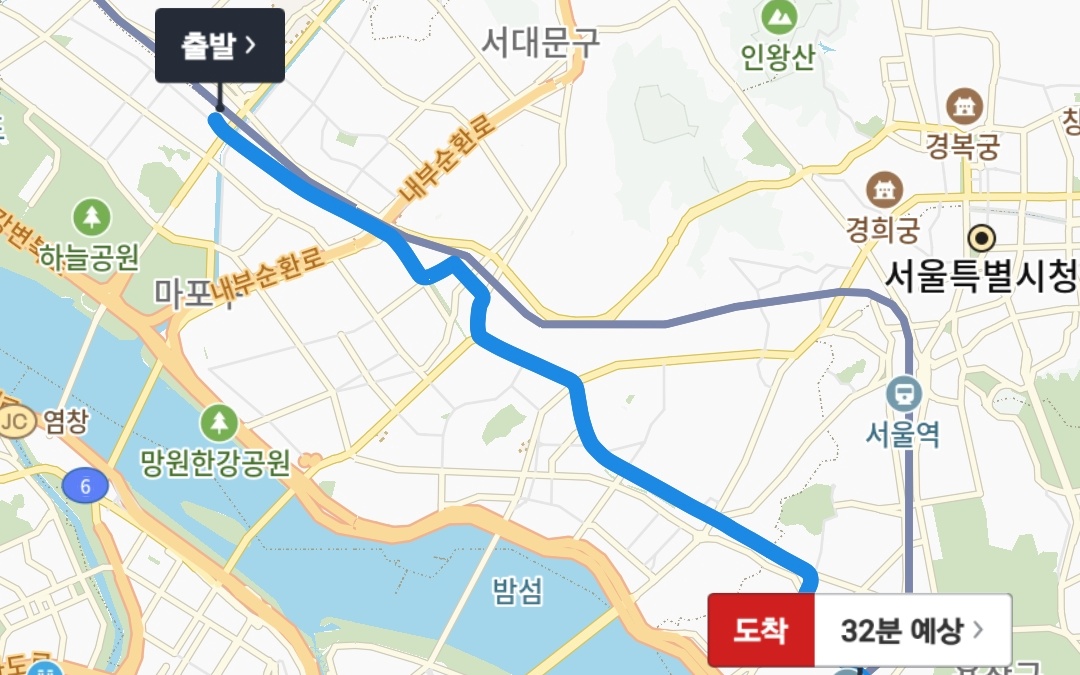
In Korea, NAVER Map and KakaoMap are commonly used for walking and public transportation directions. Knowing how to search Korean place names, check the correct branch, and use subway exit numbers can make getting around much easier.
Here is what international travelers should know.

1. Use NAVER Map or KakaoMap in Korea
For navigation in Korea, consider using NAVER Map or KakaoMap.
NAVER Map supports multiple languages and provides walking and public transportation directions. KakaoMap also provides navigation information that can be useful while traveling in Korea.
Before your trip, install at least one of these apps and set it to a language you are comfortable using.
2. If You Cannot Find a Place in English, Try the Korean Name
Sometimes a destination may be difficult to find using only its English name.
If you have the Korean name or address from a hotel booking page, restaurant website, tourism page, or message, copy it and paste it into the map app.
A simple method is:
① Copy the Korean place name
② Paste it into NAVER Map or KakaoMap
③ Check the address and photos to confirm the location
This can be especially useful when a business has several locations or its English name is written differently across websites.
3. Check the Branch and Address, Not Just the Place Name
Korea has many cafés, restaurants, convenience stores, and other businesses with multiple branches.
If several search results have the same or similar names, do not choose one based on the name alone.
Check the neighborhood, address, photos, and branch name before starting your journey.
If someone has sent you a map link or Korean address, use that information to confirm that you are heading to the correct location.
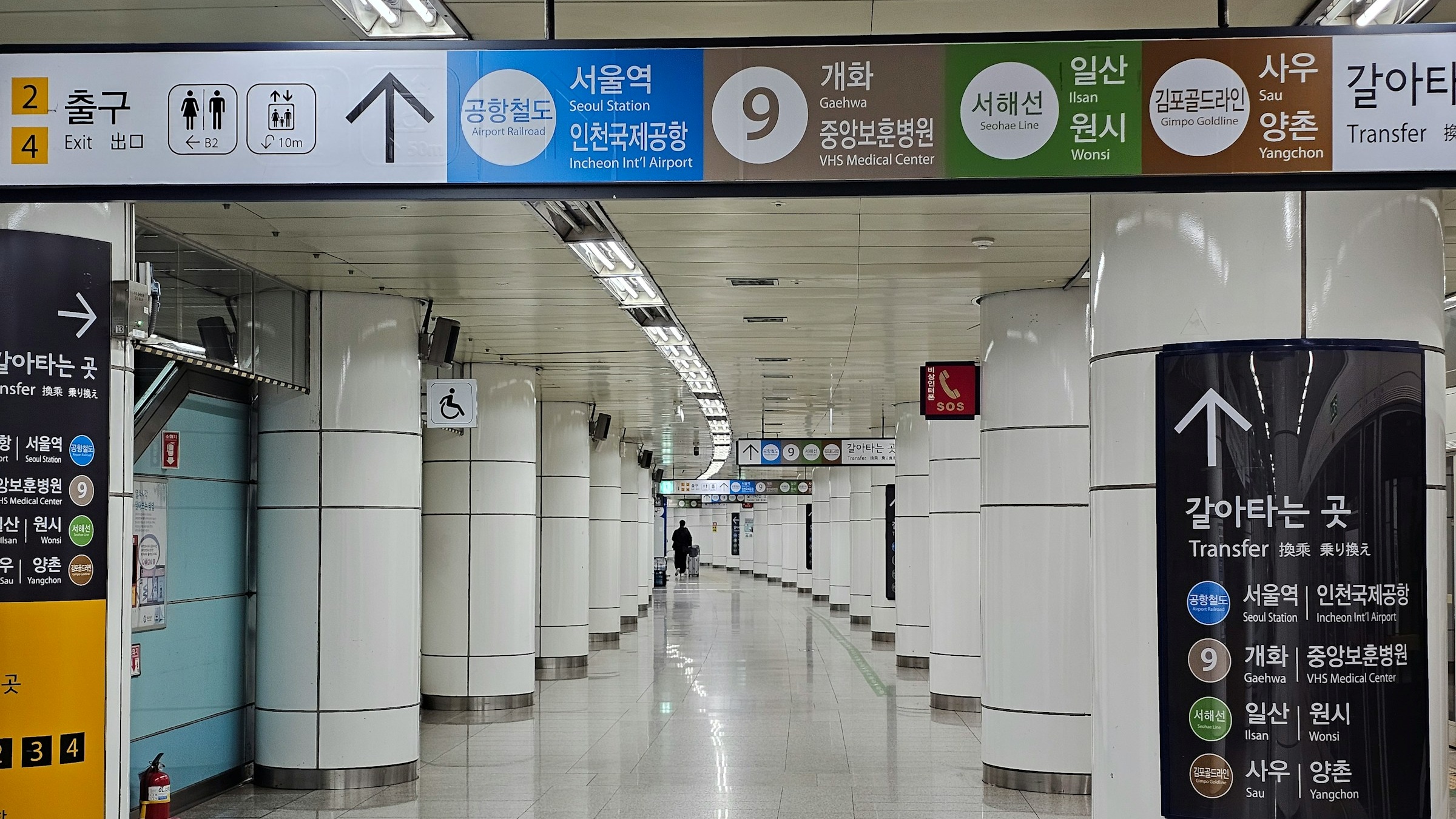
4. In the Subway, Check the Exit Number
Arriving at the correct subway station does not necessarily mean you are close to your final destination.
Large subway stations in Seoul can have many exits, and choosing the wrong one may leave you on the opposite side of a major road or intersection.
Before leaving the station, check which exit number is closest to your destination.
A useful sequence to remember is:
Station → Exit number → Walking route
This small step can save you from unnecessary walking after you leave the station.
5. For Buses, Check the Direction as Well as the Stop Name
Bus stops with similar or identical names can sometimes be located on opposite sides of the road.
Before waiting for a bus, check the bus number, direction of travel, and upcoming stops in your map app.
Once you are on the bus, watch the onboard display or announcements for your destination.
If you are using a transit card, remember that Korean buses generally require you to tap when boarding and tap again when getting off.
👉 Related Guide: Why Do You Tap Your Transit Card When Getting Off a Bus in Korea? A Guide to Tap-Off & Transfers
6. The Last 100 Meters Can Be the Hardest Part
You may reach the location shown on the map and still not see the restaurant, café, or shop you are looking for.
In Korea, some businesses are located inside alleys, underground, or on upper floors of buildings rather than directly at street level.
When you are close to your destination, check the building name, floor number, storefront sign, entrance, and photos.
For example:
B1 = Basement Level 1
2F = Second Floor
3F = Third Floor
If the map says you have arrived but you cannot see the business, look up or check the building entrance before assuming you are in the wrong place.
7. If You Are Still Lost, Show the Destination on Your Phone
If you need to ask someone for directions, you do not have to pronounce the Korean place name perfectly.
Open the destination in your map app and show the Korean place name and address on your phone.
This can make it much easier for someone nearby to understand where you are trying to go.
Because map searches and translation apps require an internet connection, it is also useful to have mobile data available while traveling.
👉 How to Stay Connected in Korea: 8 Wi-Fi, SIM & eSIM Tips for Travelers
What to Remember When Navigating Korea
When finding your way around Korea, do not rely only on the English name of your destination.
Check the Korean place name, exact branch, address, subway exit number, and bus direction.
A simple process is:
NAVER Map or KakaoMap → Search destination → Confirm Korean name and address → Check subway exit or bus direction → Check the building and floor
Once you get used to these details, finding restaurants, cafés, hotels, and attractions in Korea becomes much easier.
👉 Official Travel Information: VISITKOREA – Helpful Apps & Resources
🇰🇷 Korean Version
Want to read this article in Korean?


